An access control list is an ordered list of permit and deny rules that a router or switch checks traffic against, top to bottom, stopping at the first match. On the CCNA 200‑301 exam they live under objective 5.6, Configure and verify access control lists, inside the Security Fundamentals domain that carries 15 percent of your score. In practice they show up far more often than that weighting suggests, because ACL logic hides inside subnetting questions, troubleshooting questions, and most of the simulation items.
Most people who fail ACL questions don’t fail on syntax. They fail on order, direction, and the invisible line at the bottom of every list.
What Is an ACL in Cisco Networking?
It’s a filter. You write a numbered or named list of rules, apply it to an interface in a specific direction, and the router compares every packet against that list until something matches.
Three things about that process trip people up, and they’re worth burning into memory before you touch the CLI:
- Processing is top down, and the first match wins. Nothing below a matching line ever gets evaluated.
- Every ACL ends with an invisible
deny any. It doesn’t appear in the running config. It’s always there. - You get one ACL per interface, per direction, per protocol. An interface can have one inbound IPv4 ACL and one outbound IPv4 ACL, and that’s it.
Direction is measured from the router’s point of view, not yours. in means traffic arriving at that interface from the network. out means traffic the router is about to send out of that interface. Half the wrong answers on ACL sim questions come from people who reversed that.
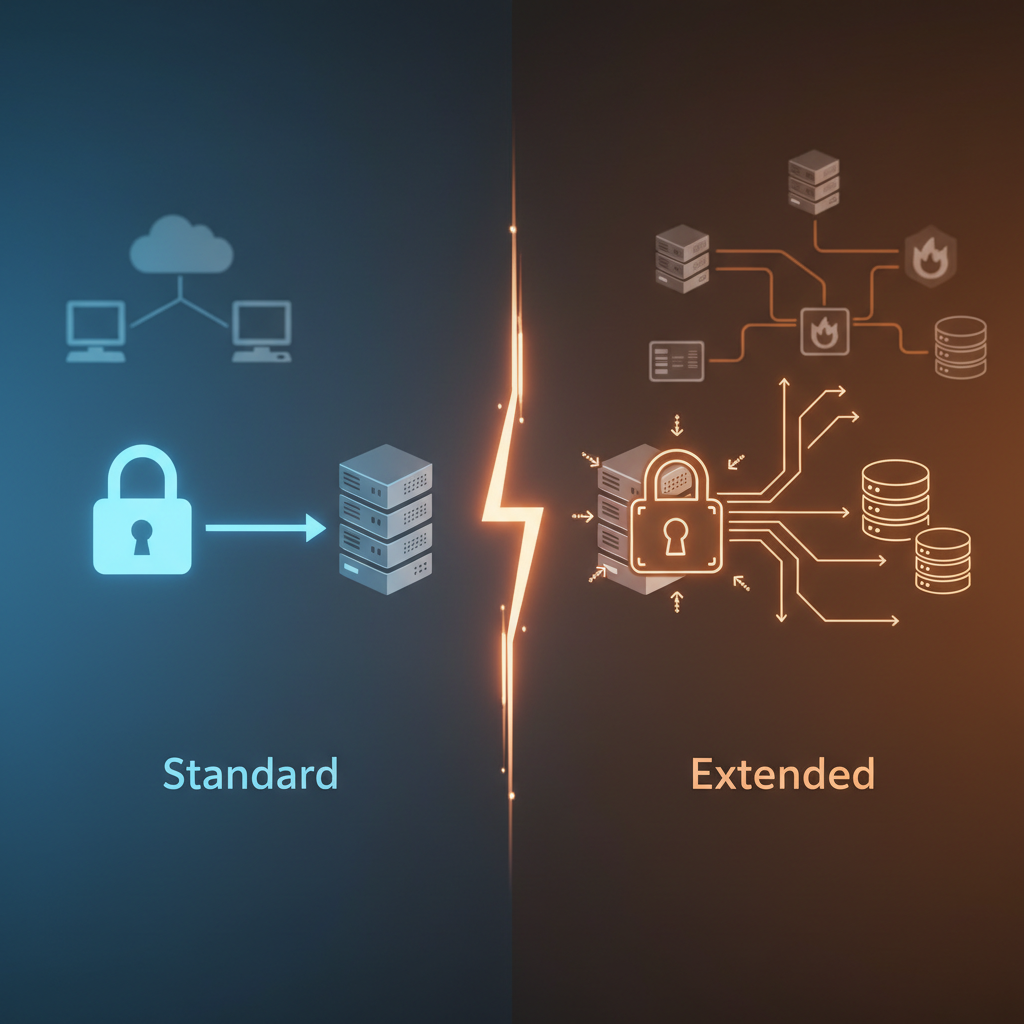
What Is the Difference Between a Standard and an Extended ACL?
A standard ACL matches on source IP address only. An extended ACL matches on source, destination, protocol, and port. That single difference drives everything else, including where you put them.
| Standard | Extended | |
|---|---|---|
| Matches on | Source IP only | Source, destination, protocol, port |
| Number ranges | 1 to 99, 1300 to 1999 | 100 to 199, 2000 to 2699 |
| Place it | Close to the destination | Close to the source |
| Named version | ip access-list standard NAME |
ip access-list extended NAME |
Memorize the four number ranges. Cisco writes questions that hand you an ACL number and expect you to know instantly what it can and cannot filter on. If a question shows access-list 110 matching a destination port, that’s valid. If it shows access-list 10 doing the same thing, the answer is that the configuration is invalid.
Use named ACLs whenever you have the choice. SALES-TO-WEB tells the next person what the list does. 103 tells them nothing, and six months from now that includes you.
How Do You Read a Wildcard Mask?
A wildcard mask is the inverse of a subnet mask. A zero bit means the corresponding address bit must match. A one bit means ignore that bit.
The fast way to convert: subtract each octet of the subnet mask from 255.
| Prefix | Subnet mask | Wildcard mask |
|---|---|---|
| /16 | 255.255.0.0 | 0.0.255.255 |
| /24 | 255.255.255.0 | 0.0.0.255 |
| /26 | 255.255.255.192 | 0.0.0.63 |
| /27 | 255.255.255.224 | 0.0.0.31 |
| /28 | 255.255.255.240 | 0.0.0.15 |
| /30 | 255.255.255.252 | 0.0.0.3 |
| /32 | 255.255.255.255 | 0.0.0.0 |
Two shortcuts exist and the exam expects you to recognize both. host 10.1.1.5 is identical to 10.1.1.5 0.0.0.0. And any is identical to 0.0.0.0 255.255.255.255. Questions frequently show one form in the config and the other in the answer choices to see whether you know they’re the same thing.
If wildcard math is where you stall, the problem is usually subnetting rather than ACLs. It’s worth going back and fixing that first, because the same weakness will cost you points across OSPF and IP addressing questions too. Allen wrote up how he got to mental subnetting math in six weeks if you need a plan for that.
Where Should You Apply an ACL?
Standard ACLs go close to the destination. Extended ACLs go close to the source.
The reasoning is worth understanding rather than memorizing, because Cisco asks it as a scenario. A standard ACL only sees source addresses, so if you place it near the source you block that host from reaching everything, not just the one subnet you meant to protect. Pushing it toward the destination limits the damage. An extended ACL knows exactly which destination you care about, so you can safely drop the traffic at the first hop and stop it from consuming bandwidth across the rest of the path.
One caveat from the operations side: this rule assumes you own the router nearest the source. In a lot of real networks you don’t, and filtering ends up centralized on a firewall instead. That’s fine in production and wrong on the exam. Answer the exam question with the textbook rule.
How Do You Configure a Standard ACL?
Say you need to stop the 192.168.10.0/24 Sales subnet from reaching the 192.168.20.0/24 server subnet, and R1 has an interface in each. Standard ACL, so it goes outbound on the interface facing the servers.
R1(config)# access-list 10 deny 192.168.10.0 0.0.0.255
R1(config)# access-list 10 permit any
R1(config)# interface GigabitEthernet0/1
R1(config-if)# ip access-group 10 out
That second line is not optional decoration. Without permit any, the implicit deny at the bottom drops every other subnet in the building along with Sales. Writing a deny rule and forgetting the permit that follows it is the single most common way to take down a network with an ACL.
The named equivalent, which is what you should be writing:
R1(config)# ip access-list standard BLOCK-SALES
R1(config-std-nacl)# deny 192.168.10.0 0.0.0.255
R1(config-std-nacl)# permit any
R1(config-std-nacl)# exit
R1(config)# interface GigabitEthernet0/1
R1(config-if)# ip access-group BLOCK-SALES out
How Do You Configure an Extended ACL?
Extended syntax adds protocol, destination, and port. The order is protocol, then source, then destination, then port operator. Getting that sequence backwards is a reliable way to lose a sim question.
This one lets Sales reach the web server at 192.168.20.50 over HTTPS, blocks everything else headed to that server, and leaves the rest of the network alone. Extended ACL, so it goes inbound on the interface closest to Sales.
R1(config)# ip access-list extended SALES-TO-WEB
R1(config-ext-nacl)# permit tcp 192.168.10.0 0.0.0.255 host 192.168.20.50 eq 443
R1(config-ext-nacl)# deny ip 192.168.10.0 0.0.0.255 host 192.168.20.50
R1(config-ext-nacl)# permit ip any any
R1(config-ext-nacl)# exit
R1(config)# interface GigabitEthernet0/0
R1(config-if)# ip access-group SALES-TO-WEB in
Note the order. The specific permit comes before the broader deny. Flip those two lines and the deny matches first, HTTPS never gets through, and the config looks completely reasonable to anyone reading it quickly. Specific rules before general rules, always.
One more piece of syntax the exam likes: ACLs applied to VTY lines use access-class, not ip access-group.
R1(config)# access-list 5 permit host 192.168.10.10
R1(config)# line vty 0 15
R1(config-line)# access-class 5 in
That restricts SSH and Telnet access to the router to a single management host. It’s a favorite question because the command is different and people default to ip access-group out of habit.
Why Does the Implicit Deny Break So Many ACLs?
Because it’s invisible. It never appears in show running-config, so an ACL that looks like it permits three things actually permits three things and blocks the entire internet.
The practical consequence is that an ACL containing only deny statements blocks all traffic on that interface in that direction. Every packet either matches a deny or falls through to the implicit deny. There is no scenario where a deny-only ACL does something useful.
Get in the habit of asking one question every time you write a list: what happens to traffic that matches none of these lines? If the answer isn’t what you want, you need a permit ip any any at the bottom.
How Do You Edit an ACL Without Deleting It?
Use sequence numbers. Entering named ACL configuration mode, even for a numbered list, gives you line-by-line control.
R1(config)# ip access-list extended SALES-TO-WEB
R1(config-ext-nacl)# no 20
R1(config-ext-nacl)# 15 permit tcp 192.168.10.0 0.0.0.255 host 192.168.20.50 eq 22
Lines auto-number in increments of ten, which is deliberate. It leaves room to insert rules between existing ones without rebuilding the list. Removing line 20 and inserting a new rule at 15 puts it exactly where you need it in the evaluation order.
What you must not do is type no access-list 10 at the global config prompt expecting to remove one line. That command deletes the entire ACL. If the list is still applied to an interface at the time, the interface is now referencing a list that doesn’t exist, and behavior varies by platform in ways you don’t want to discover during a change window.
How Do You Verify an ACL Is Working?
Two commands cover almost everything.
R1# show access-lists
Standard IP access list BLOCK-SALES
    10 deny   192.168.10.0, wildcard bits 0.0.0.255 (47 matches)
    20 permit any (1203 matches)

R1# show ip interface GigabitEthernet0/1 | include access list
  Outgoing Common access list is not set
  Outgoing access list is BLOCK-SALES
  Inbound access list is not set
show access-lists gives you sequence numbers and, more usefully, match counters. Those counters are the fastest troubleshooting tool you have. If a line shows zero matches when traffic should be hitting it, your problem is almost always order, direction, or placement rather than syntax.
show ip interface confirms the list is applied and in which direction. A surprising number of “broken ACL” tickets turn out to be a perfectly correct list that nobody ever attached to an interface.
What ACL Mistakes Show Up on the CCNA Exam?
These are the patterns Cisco writes questions around, roughly in order of how often they appear:
- Missing the implicit deny. The config looks right, the answer choices include “traffic is permitted,” and the correct answer is that everything unmatched is dropped.
- Rules in the wrong order. A general permit sitting above a specific deny, so the deny is unreachable.
- Subnet mask where a wildcard mask belongs. Writing
192.168.10.0 255.255.255.0instead of0.0.0.255. - Standard ACL placed near the source. Technically valid config, wrong design, and the question is asking about design.
- Wrong direction. Applied
inwhen the traffic flow requiresout. - Never applied at all. The list exists, no interface references it, nothing is filtered.
ip access-groupon a VTY line. Should beaccess-class.
Reading that list is not the same as recognizing the mistakes under time pressure. ACL items are heavily represented in the simulation and drag-and-drop question types, where you have to spot the error in someone else’s config rather than write your own. That skill only comes from repetition against questions written to trip you, which is a good argument for working through a solid practice exam engine rather than only doing labs where you build lists from scratch.
Build the labs anyway. A home lab or Packet Tracer topology where you can apply a list, break connectivity, and watch the match counters climb teaches direction and placement faster than any amount of reading. Configure the standard ACL above, ping across it, then move it to the wrong interface and ping again. The difference is the lesson.
Update • 2026: ACLs remain objective 5.6 on the current 200‑301 v1.1 blueprint. The last day to test on v1.1 is February 2, 2027, with CCNA v2.0 going live the following day under the same exam number. If your exam date lands near that boundary, check what the v2.0 change means for your timeline before you book.
If you can look at any ACL and answer three questions without hesitating, you’re in good shape: what does the first matching line do, what happens to traffic that matches nothing, and is this list applied in the direction the traffic is actually flowing? Cisco documents the full syntax in Configure IP Access Lists, and the commonly used ACL examples page is worth an hour if you want to see how these get built for real filtering scenarios rather than exam scenarios.

Network Professional | CCNA Certified
Ashley Miller is a 35-year-old networking professional with a proven foundation in Cisco technologies. She is CCNA certified and currently advancing her expertise by working toward the Cisco Certified Network Professional (CCNP) certification. With a passion for designing and maintaining efficient, secure network infrastructures, Ashley brings both technical skill and real-world experience to every project.