
The Cisco Certified Network Associate (CCNA) exam covers a broad sweep of networking. It measures your knowledge across network fundamentals, network access, IP connectivity, IP services, security fundamentals, and automation and programmability, and each of those areas carries its own weight in the score, with network fundamentals and network access counting for the most.
It’s a single, comprehensive exam that blends multiple-choice questions, drag-and-drop items, and simulations, all built to see whether you can apply what you know in situations that look like real work. It isn’t an easy paper. You need a genuine understanding of networking concepts and real time spent configuring Cisco devices, which is why getting familiar with the structure and format early makes such a difference to how you prepare.
Key Takeaways
- The CCNA exam consists of multiple-choice, drag-and-drop, and simulation questions
- A study plan for the CCNA exam should include setting specific goals, scheduling study time, and using a variety of study materials
- Mastering networking fundamentals is crucial for success in the CCNA exam, including understanding OSI model, TCP/IP, and subnetting
- Learning Cisco IOS and configuration involves understanding basic router and switch configuration, as well as troubleshooting common network issues
- Practicing with hands-on labs is essential for gaining practical experience and reinforcing theoretical knowledge
Developing a Study Plan for the CCNA Exam
A well-built study plan is what carries you through CCNA preparation. Lay out a schedule that spells out which topics you’ll cover each day or week, and leave room for practice exams and lab work alongside the reading. Give every topic enough time to sink in properly, and set realistic milestones so you can see your progress and keep your motivation from sagging halfway through.
The plan should also point you at the right materials, textbooks, online courses, practice exams, and hands-on labs, and it’s worth choosing ones that go deep on every objective rather than skimming. Study groups and online forums add another layer, giving you somewhere to untangle the tricky topics and trade tips with people in the same spot. From there, it comes down to staying organized and disciplined so the hours you’ve set aside actually get used.
Mastering Networking Fundamentals
The fundamentals sit underneath everything else on the exam, which is why they deserve early attention. The OSI model, the TCP/IP model, Ethernet, IPv4 addressing, subnetting, IPv6 addressing, routing protocols, and switching concepts all feed into the more advanced material, so a shaky grasp here will show up everywhere later.
Start with the OSI and TCP/IP models, since they frame how data actually moves across a network and make the protocols easier to reason about. From there, get comfortable with Ethernet and its standards, then IPv4 addressing and subnetting. Nail those and you’ll have solid ground to stand on when you reach routing protocols and switching, which build directly on top of them.
Learning Cisco IOS and Configuration
| Topic | Metrics |
|---|---|
| Number of IOS Commands | Over 500 |
| Configuration Steps | Several |
| Learning Curve | Steep |
| Practice Time | Highly Recommended |
Cisco IOS (Internetwork Operating System) is what runs on Cisco routers and switches, so knowing how to work with it is central to the exam. You’ll want to be fluent in the basic commands, for configuring interfaces, setting up routing protocols, applying access control lists (ACLs), and troubleshooting, and comfortable moving around the command-line interface (CLI), saving configurations, and handling routine admin on a device.
The way in is to learn the core commands and their syntax first, whether from tutorials, textbooks, or a course built around IOS configuration. Then put them to use in a lab with Packet Tracer or GNS3. There’s no substitute for that hands-on repetition when it comes to building confidence with the CLI and getting quick at spotting and fixing common problems.
Practicing with Hands-On Labs
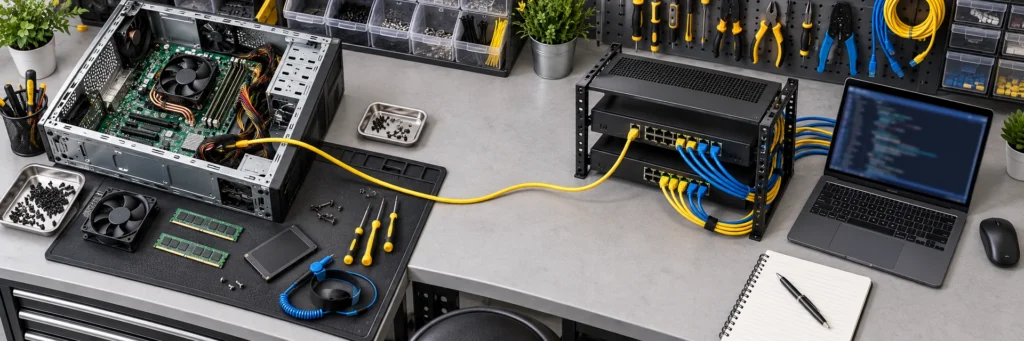
Hands-on labs turn study into skill. Working with the equipment lets you apply what you’ve read in a setting that behaves like the real thing, and it builds the kind of confidence that only comes from having actually done the task. Packet Tracer, GNS3, and physical gear all work for this, and you can use any of them to practice configuring routers and switches, standing up routing protocols, setting up VLANs, and troubleshooting when something breaks.
Once the individual tasks feel routine, string them into bigger scenarios that mirror a real network, several routers and switches wired into a topology, with routing protocols, ACLs, and VLANs all running together. Practicing at that scale is what develops the judgment the CCNA is really checking for.
Reviewing and Testing Your Knowledge

Reviewing regularly keeps what you’ve learned from slipping away. Go back over your notes and textbooks, rewatch a tutorial when a topic feels shaky, and keep circling back to the harder material. Alongside the review, test yourself with practice exams that match the format and difficulty of the real CCNA.
Those practice exams are the honest mirror. They tell you where you actually stand and flag the topics that still need work, especially when a platform explains the reasoning behind each answer. Take several of them, track how you do, and let the weak spots you find reshape what you study next.
Tips for Exam Day Success
Arrive early on exam day so you have time to get through check-in and settle before the clock starts. Bring two forms of identification along with any authorization or confirmation documents the testing center asks for, plus any supplies they allow, such as a pencil or eraser.
During the exam, read each question carefully before you answer so you’re sure what it’s actually asking. Watch your pace and don’t let a single hard question eat your time; mark it, move on to the ones you can answer quickly, and come back to it later with a clearer head and more of the paper behind you.
Passing the CCNA comes down to knowing the fundamentals, spending real time on Cisco devices, and studying with a plan that covers every objective and leaves room to practice. Lean on study guides, practice exams, and forums for support, keep an eye on the current exam objectives so nothing you’ve learned is out of date, and stick with the plan you’ve set.
FAQs
What is the Cisco Certified Network Associate (CCNA) exam?
The Cisco Certified Network Associate (CCNA) exam is a certification exam offered by Cisco that tests the knowledge and skills required to install, operate, and troubleshoot small to medium size enterprise branch network.
What are the prerequisites for taking the CCNA exam?
There are no formal prerequisites for taking the CCNA exam, but it is recommended that candidates have a good understanding of networking fundamentals and basic IP addressing.
What topics are covered in the CCNA exam?
The CCNA exam covers a wide range of topics including network fundamentals, network access, IP connectivity, IP services, security fundamentals, automation and programmability.
How long is the CCNA exam?
The CCNA exam is 90 minutes long.
What is the passing score for the CCNA exam?
The passing score for the CCNA exam is set by Cisco and may vary. Typically, it is around 800-850 out of 1000.
How long is the CCNA certification valid for?
The CCNA certification is valid for three years. After three years, candidates must recertify by passing the current CCNA exam or a higher-level Cisco certification exam.

Senior Network Engineer | CCNP Enterprise | CCIE Candidate
Trave Hurd is a senior network engineer with over a decade of experience designing and managing enterprise Cisco environments. Holding multiple Cisco and industry certifications, he writes about the full arc of a networking career, from passing your first exam to building the skills that get you to the top of the field.