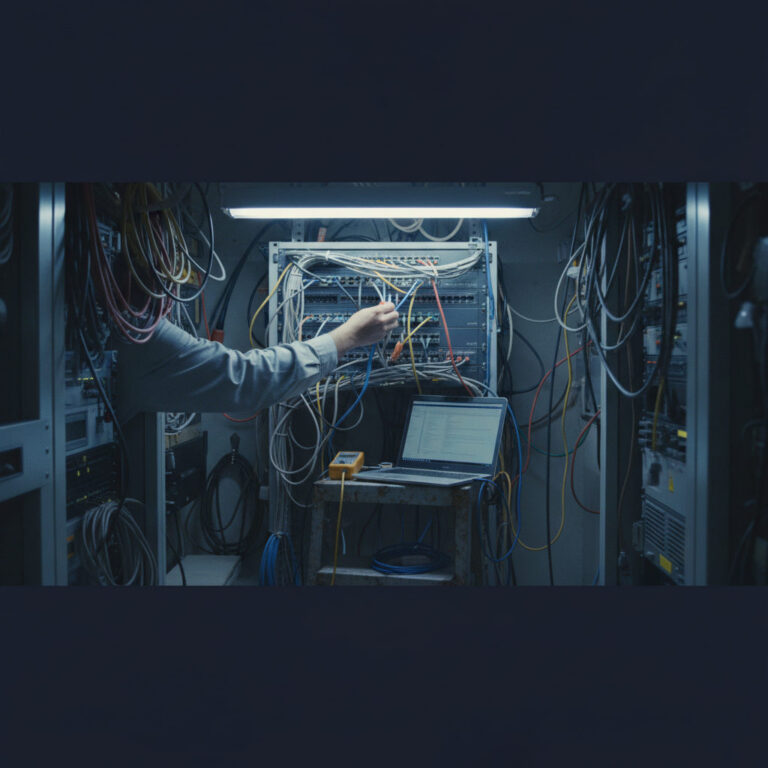
On the new CCNA, you’re handed a broken network and asked what’s wrong with it. Under v1.1, only one exam topic asked you to find a fault (cable and interface problems). Under v2.0, which goes live February 3, 2027, eight topics ask you to troubleshoot or diagnose. That covers addressing, DHCP, client connectivity, static routes, routing table decisions, DNS, packet captures, and the physical layer.
I troubleshoot for a living, and honestly this is the change I’m happiest about. It’s also the one that will sink people who studied by rewatching videos. Here’s how the questions work and the method I’d drill before test day.
What Does Troubleshooting Look Like on the CCNA v2.0 Exam?
Expect a symptom, some output, and a question about cause. A PC can’t reach a server. Here’s show ip interface brief from the router and ipconfig from the host. Which of these four explains it? Or a sim drops you into a topology with something already broken and you have to find and fix it.
Cisco doesn’t publish how many of each question type you’ll see, and it changes between candidates. Allen’s rundown of the question types on the CCNA covers the formats. What changes in v2.0 is the verb. The v1.1 blueprint said “configure and verify” static routing. The v2.0 blueprint says troubleshoot default, network, host, and floating static routes. Same technology, different skill.
The practical difference: knowing the correct config isn’t enough anymore. You need to recognize what a wrong config looks like in show output, because that’s all the exam gives you.
Which Topics Will Have Troubleshooting Questions?
Based on the v2.0 blueprint wording, these are the areas I’d prepare to diagnose rather than just configure:
- Cabling and interfaces, now including signal levels, pinouts, distance limits, and cable type
- IPv4 and IPv6 addressing, assignment, and subnetting mistakes
- DHCPv4 on IOS as client, server, and relay
- Wired and wireless client connectivity
- Static routes, including floating statics that never take over
- Routing table next hop selection by prefix length, administrative distance, and metric
- DNS record problems
- Reading a packet capture
Check the official list on the Cisco Learning Network v2.0 exam topics page before you build a plan around mine. Cisco notes that related topics can appear too, so if STP or OSPF output shows up inside a connectivity question, don’t be shocked.
What’s the Best Method for Troubleshooting a Cisco Network?
Work bottom up. Start at the physical layer and climb. It feels slow, but it keeps you from spending ten minutes on a routing problem when the real issue is a port in err-disabled.
My order, every time:
- Is the interface up/up? If not, cable, speed, duplex, shutdown, or err-disable.
- Is it in the right VLAN, and is the trunk carrying that VLAN?
- Does the host have a correct IP, mask, and gateway?
- Can it reach the gateway?
- Does the router have a route to the destination, and is it the route you expect?
- Is anything filtering the traffic (ACL, port security, DAI)?
- Does the name resolve?
On the exam you won’t type all of those commands, but you’ll be handed some of that output. Knowing which layer each piece of output proves or rules out is the skill.
How Do You Spot Cable and Interface Problems in Show Output?
Start with show interfaces and read the counters, not just the status line.
SW1# show interfaces GigabitEthernet1/0/5
GigabitEthernet1/0/5 is up, line protocol is up (connected)
  Full-duplex, 100Mb/s, media type is 10/100/1000BaseTX
  ...
     1842 input errors, 1790 CRC, 0 frame, 0 overrun, 0 ignored
     0 output errors, 0 collisions, 0 interface resets
     0 late collision, 0 deferred
A climbing CRC count on a port that’s up usually points at the physical path: a bad cable, a run that’s too long, or interference near the cable. Late collisions on the other side of a link are the classic duplex mismatch tell. One side is full duplex, the other is half, and the half duplex side keeps logging late collisions.
Also look at the negotiated speed. A gigabit host stuck at 100 Mb/s often means a damaged pair. Gigabit needs all four pairs, 100BASE-TX only needs two, so a cable with one bad pair will happily negotiate down to 100 and leave you wondering why everything is slow.
If the line says err-disabled, stop looking at cables. Something shut that port on purpose, usually port security or BPDU guard. show interfaces status err-disabled tells you which.
How Do You Troubleshoot a Host That Can’t Reach Its Gateway?
Compare the host’s config to the router interface it’s supposed to use. This is where subnetting mistakes hide.
PC1> ipconfig
IPv4 Address. . . : 192.168.10.70
Subnet Mask . . . : 255.255.255.192
Default Gateway . : 192.168.10.1
R1# show ip interface brief | include Gig0/0.10
GigabitEthernet0/0.10  192.168.10.1  YES manual up  up
Everything looks up. But a /26 puts 192.168.10.70 in the 192.168.10.64 network, and the gateway at .1 lives in the 192.168.10.0 network. The host can’t ARP for a gateway it thinks is off subnet. That’s the whole question, and it’s a subnetting question dressed up as a connectivity question. If /26 boundaries don’t jump out at you, Allen’s subnetting guide is the fix.
If the address is a 169.254.x.x, the host never got a DHCP lease. That’s a different problem, and we covered it in why DHCP clients don’t get an address. The usual suspects are a missing ip helper-address, an exhausted pool, or the gateway excluded from the wrong range.
Why Isn’t My Floating Static Route Taking Over?
A floating static route is a backup route with a higher administrative distance than the primary, so it stays out of the routing table until the primary disappears. The exam loves it because there are several quiet ways to get it wrong.
R1(config)# ip route 0.0.0.0 0.0.0.0 203.0.113.1
R1(config)# ip route 0.0.0.0 0.0.0.0 198.51.100.1 5
R1# show ip route static
S*    0.0.0.0/0 [1/0] via 203.0.113.1
That backup with AD 5 will work if the primary is a static route with AD 1. Now say the primary is learned through OSPF instead, which has an AD of 110. A floating static with AD 5 isn’t floating at all. It beats OSPF and takes over immediately. The fix is an AD higher than the primary’s, like 120 or 200.
The other common failure: the primary interface stays up even though the path beyond it is dead. A static route pointed at a next hop on an Ethernet link won’t leave the table just because something upstream failed. That’s why IP SLA tracking exists, though it sits outside the CCNA scope.
How Does the Router Pick Between Two Routes?
Longest prefix match wins first. Administrative distance only breaks ties between routes to the exact same prefix. Metric only breaks ties within the same routing source. Getting that order wrong is the most common mistake I see on routing table questions.
O     10.1.0.0/16 [110/20] via 172.16.1.2
O     10.1.5.0/24 [110/30] via 172.16.2.2
S     10.1.5.0/25 [1/0] via 172.16.3.2
A packet to 10.1.5.10 goes via 172.16.3.2. The /25 is the most specific match, so AD never enters into it. A packet to 10.1.5.200 falls outside that /25 and matches the OSPF /24, even though that route has a worse metric than the /16. A packet to 10.1.9.9 only matches the /16. Three destinations, three different next hops, and none of the decisions came down to AD.
Our OSPF explainer covers how OSPF metrics are calculated if a question pushes into cost comparisons.
How Should I Practice Troubleshooting for the CCNA?
Break your own labs. Build a working topology in Packet Tracer or CML, save it, then change one thing without letting yourself look at the change later. Wrong mask on a host, a trunk missing a VLAN, a helper address pointed at the wrong server, a floating static with the wrong AD. Come back the next day and find it using only show commands.
Better yet, trade labs with a study partner and break each other’s. You’ll learn more from one evening of that than from a week of building clean topologies that work on the first try. If you don’t have a lab yet, start with our home lab guide.
Testing before February 3, 2027? You’re on v1.1, where troubleshooting carries less weight. The same method still helps. Sim questions on v1.1 already punish people who can configure but can’t verify. Your topic list is the v1.1 exam topics page.
If you want to see how Cisco TAC structures a diagnosis, read their write-up on troubleshooting DAI and IP Source Guard on Catalyst 9000 switches. The feature is narrower than what you need for the exam, but the pattern is the same one the exam wants from you: state the symptom, check the evidence in show output, rule things out in order.

Network Professional | CCNA Certified
Ashley Miller is a 35-year-old networking professional with a proven foundation in Cisco technologies. She is CCNA certified and currently advancing her expertise by working toward the Cisco Certified Network Professional (CCNP) certification. With a passion for designing and maintaining efficient, secure network infrastructures, Ashley brings both technical skill and real-world experience to every project.